
Updates
The latest from Mamo. New features, improvements, and updates all in one place.
Down to the merchant. Down to the country. New spend rules
.png)
With Merchant-specific and location controls, you decide exactly where company cards can be used:
- Restrict cards to approved merchants only
- Block spend outside specific countries
It's the difference between hoping your policy is followed and knowing it is.
Approve a specific list of merchants — like a card that only works at your preferred travel agency or a specific software vendor — and block spend everywhere else. Or restrict a card to specific countries, blocking any transaction from a merchant based outside those countries — online or in person.
These controls are available as global controls (applied company-wide) in your Global spend controls, and card-specific controls (applied to individual cards, either at card issuance or when managing card details).
Start earning with our partner referral program
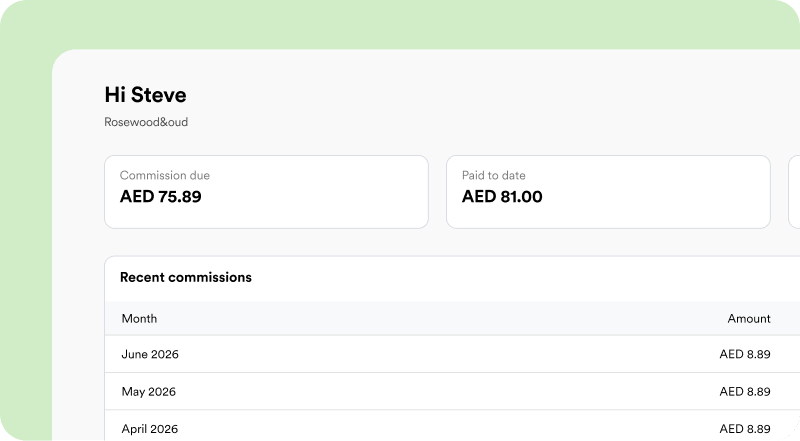
You already know businesses that could use Mamo. Why not get paid for the introduction? Earn commission on every transaction your referral processes for their first 12 months. No cap. No expiration. One good referral could pay out for years.
Learn more about our Partner referral program
Global spend controls
Smarter spend controls, team wide
Manually managing who can spend what — one card at a time — doesn't scale. Global spend controls let you set a policy once and apply it company-wide, or build layered rules for specific teams, or user groups.
You can set a single rule for a monthly spend limit — for example, AED 5K for all users. Or, you can layer on more specific rules on top. For example: set a monthly limit of AED 12K for Omar, John, and Leena, and AED 5K for everyone else.
Admins and users with Global spend control permissions can access this feature.
To get started, head to your Policies page in Expenses to set up your Global spend controls.
AI insights
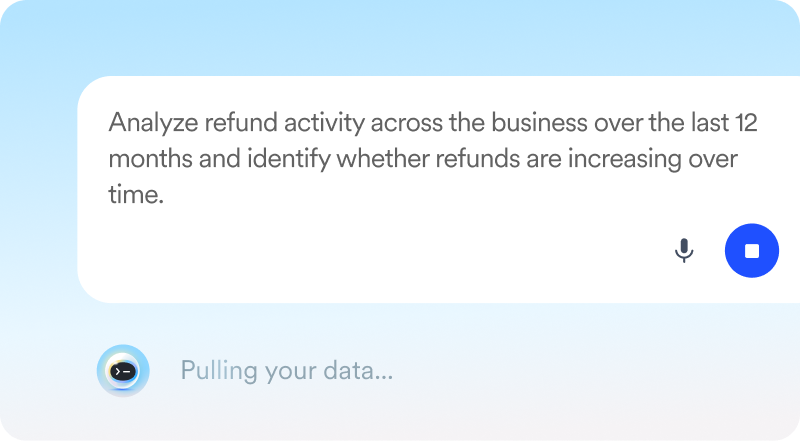
AI that gets down to business (Beta)
Stop digging through reports, just let Mamo's AI assistant do the analysis for you. Ask questions about your business activity in plain language and get instant, clear answers — no spreadsheets required.
Mamo's AI assistant works like a simple chat window: ask a question, get an answer, and pick up right where you left off. Your chat history is saved, so you can revisit past questions and answers anytime without having to ask again.
Head to your Insights page on your dashboard to start chatting with Mamo's AI assistant.
This feature is currently in Beta.
Your notifications, now in one place
Stay on top of what’s happening in your account without digging around. The notification center lives in the top bar of your dashboard and has two tabs: Exports and Product updates.
Use Exports to track and download any reports or data you’ve generated. When your file is ready, we’ll notify you so you can grab it straight from there. Use Product updates to stay in the loop on everything new we’re shipping. New features, improvements, updates, you’ll see them here as they go live.
Send money beyond the UAE
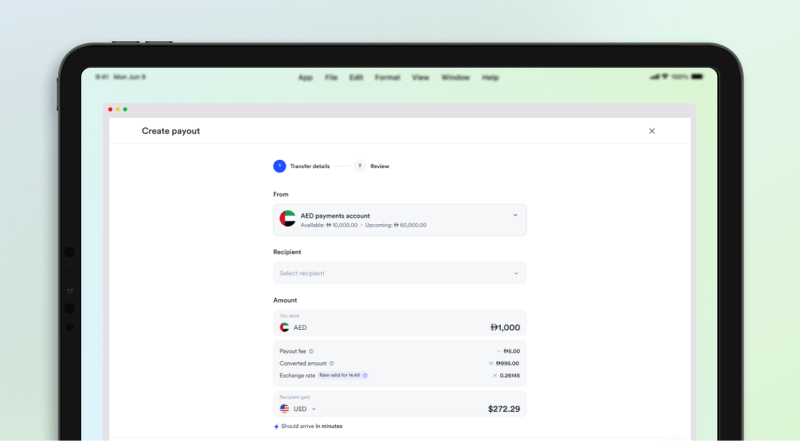
We launched international payouts and have officially opened a waitlist for it! We’re using crypto rails to power the transfers, allowing you to send money across borders in seconds—our latest internal test from the UAE to the UK arrived in just 33 seconds!
This feature is currently in beta and will be enabled in phases. Want to be among the first to try it?